
TL;DR

Get beauty and skincare favorites delivered free with Prime
- Fast, free delivery on millions of items
- Prime Video, Amazon Music and more included
- Member-only deals all year
Storing your facial devices correctly and maintaining regular cleaning prevents bacteria buildup and preserves their functionality. Proper care can extend their lifespan up to five years, saving you money and skin irritation risks.
Imagine reaching for your favorite facial device, only to find it clogged with dust, mold, or residue. Proper storage and maintenance aren’t just about keeping things tidy—they’re about safeguarding your skin health and making your investment last. If you’ve ever wondered whether your device needs a deep clean or where’s the best place to store it, you’re not alone.
In this guide, you’ll learn exactly how to care for your devices—step by step, with real-world tips and insights. From cleaning routines and storage spots to battery care and replacing parts, you’ll discover how small habits can make a big difference in your skincare routine—and your wallet.
Clean your devices thoroughly after each use with appropriate materials—never submerge unless rated waterproof.
Store devices in a cool, dry place away from humidity and direct sunlight to prevent deterioration.
Manage battery health by avoiding overcharging or leaving devices unused for long periods fully drained or fully charged.
Replace consumables like brush heads every 3 months or as specified, to maintain hygiene and effectiveness.
Stay updated on new tech like UV-C sterilization and antimicrobial materials to simplify maintenance and enhance longevity.
How to Store & Maintain Your Facial Devices
Bacteria can accumulate on facial devices within just a few uses if they aren’t cleaned properly — raising the risk of breakouts and irritation. The right routine of cleaning, drying, storing, charging and replacing keeps your tools hygienic, protects your skin, and can stretch a quality device’s working life to five full years.
Five Habits That Protect Your Investment
Small, consistent actions after every session compound into years of extra device life — and keep residue, oil and bacteria away from your skin.
Clean
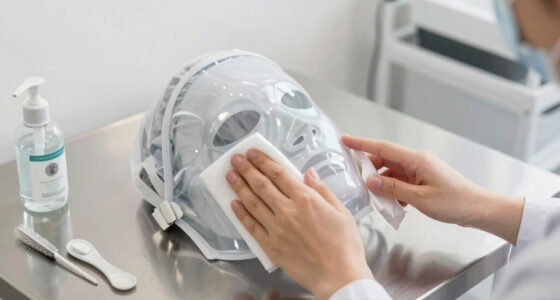
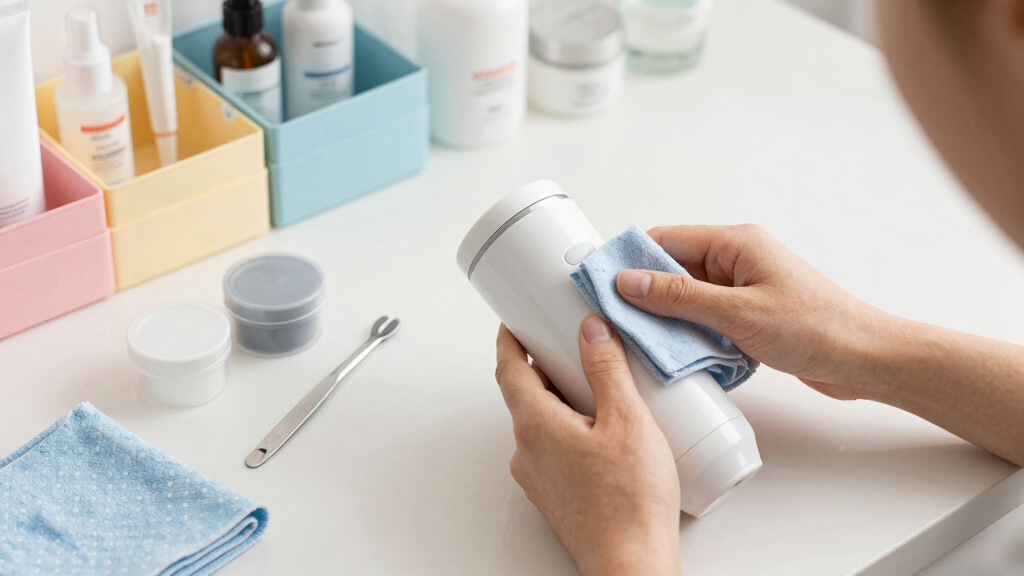
Wipe treatment surfaces with a soft cloth dampened with water or 70% isopropyl alcohol after every use.
Dry
Air-dry completely in a ventilated space. Detach heads and dry bristles-down so moisture can’t settle.
Store
Cool, dry, out of sunlight — a case or pouch in a bedroom drawer beats a humid bathroom shelf.
Charge
Recharge before the battery drops below 20%; never leave it parked at 100% or fully drained for weeks.
Replace
Swap brush heads, tips and filters on schedule — worn parts harbor bacteria and cut performance.
Never submerge a device unless it is rated IPX7 or higher. Waterproof-rated brushes can be rinsed under running water; everything else gets surface cleaning only — submersion damage is a common reason warranties are voided.
The Six Pillars of Device Maintenance
Each pillar targets a specific failure mode — bacteria buildup, corrosion, material degradation, battery wear, or worn consumables.
Cleaning Protocol
Prevents bacteria, oil and leftover product from building up on treatment surfaces.
- Silicone surfaces (e.g. FOREO Luna): gentle wiping only
- Metal contacts on microcurrent tools: remove residue carefully
- Charging points: wipe oils that cause corrosion
Drying Discipline
Moisture is the number-one enemy — never store a device damp.
- Air-dry completely before putting away
- Detach brush heads so water can’t pool at connections
- Dry bristles-down in a well-ventilated space
Storage Location
Where your device lives determines how fast it degrades.
- Avoid humid bathrooms — mold and corrosion thrive there
- Use the original case or pouch against dust and knocks
- Keep away from direct sunlight — UV degrades silicone
Battery Care
Lithium-ion cells degrade fastest when mistreated — manage charge levels actively.
- Recharge before dropping below 20%
- Don’t leave plugged in at 100% for days
- Long-term storage: ~50% charge, top up every few months
Part Replacement
Worn parts are like bald tires — performance and safety both suffer.
- Brush heads: every ~3 months or when frayed
- Silicone tips & filters: per manufacturer guidance
- Watch for cracks, discoloration, weak vibration
Cords & Chargers
Power accessories are a hidden failure point — and a warranty risk.
- Coil cords loosely — tight wraps cause wire fatigue
- Use only manufacturer-supplied cables and adapters
- Inspect ports and cables for damage regularly
Tailored Care Cheat Sheet
Different technologies fail in different ways. Match your routine to the device category.
| Device Type | Cleaning Method | Storage Rule | Replacement Cycle |
|---|---|---|---|
| Cleansing BrushSonic / Rotating | Rinse head thoroughly; waterproof-rated units can go under running water | Detach head, dry bristles-down, ventilated space | Heads: ~3 months |
| Microcurrent / RFConductive nodes | Wipe electrodes carefully — residue blocks current delivery | Store with protective cap on to prevent scratches | Tips: per manual |
| LED MaskPanel device | Wipe gently with soft cloth; no alcohol on panels | Store flat, away from heat — don’t stress hinges | No consumables |
| Facial SteamerWater tank | Empty tank after every session; descale periodically | Dry tank fully to prevent mineral deposits and mold | Filters: per manual |
| Silicone Cleansere.g. FOREO-style | Gentle wipe; medical-grade silicone resists bacteria | Case or pouch, away from UV light | No heads — replace if torn |
| Gua Sha / RollerNon-electric | Wash with soap and water, dry fully | Padded spot — stone cracks if dropped or thermally shocked | Replace if cracked |
Care Level vs. Lifespan — and the Battery Sweet Spot
Expected device lifespan by care routine
Battery charge level for long-term storage
Both extremes strain lithium-ion chemistry. Storing fully drained or at 100% accelerates capacity loss, and heat makes it worse. Charge to ~50%, store cool and dry, and top up every few months. Recharge in use before the battery falls below 20%.
Do This — Never Do That
Most device failures and warranty voids trace back to a handful of avoidable mistakes.
Always
- Wipe treatment surfaces with water or 70% isopropyl alcohol after every use
- Air-dry fully before storing — detach heads first
- Store cool, dry and dark in the original case or a pouch
- Use the manufacturer’s charger and inspect cables regularly
- Replace brush heads every 3 months — sooner if bristles fray
Never
- Submerge a non-waterproof device — anything under IPX7 stays dry
- Store in a humid bathroom — mold and corrosion thrive there
- Wrap cords tightly around the device — it causes wire fatigue
- Use third-party chargers — inconsistent power can kill the battery and void the warranty
- Leave it at 0% or 100% for weeks, or in heat and direct sun
Neglected devices don’t just die young — trapped bacteria and residue get pressed back into your skin, raising the risk of breakouts, irritation and infection, especially on acne-prone or compromised skin. Maintenance is skin care.
Tech That Makes Maintenance Easier
A new generation of devices and accessories is designed to clean itself — and remind you when it can’t.
UV-C Sterilizing Cases
Cases and stands that disinfect devices with UV light while they’re stored — now bundled with some premium cleansing brushes and wands.
Antimicrobial Surfaces
Medical-grade silicone, silver-infused bristles and antimicrobial coatings resist bacterial adhesion — and often eliminate replacement heads entirely.
App-Based Reminders
Companion apps increasingly push notifications for cleaning cycles, brush-head replacement and firmware updates — maintenance on autopilot.
How Small Habits Compound Into Big Wins
How to Clean Your Facial Devices After Every Use
Cleaning your device after each use isn’t just about hygiene—it’s about preventing bacteria, oil, and leftover product from building up. Use a soft cloth dampened with water or 70% isopropyl alcohol, depending on your device’s material. For example, silicone surfaces like FOREO Luna require gentle wiping, while metal contacts on microcurrent tools need careful attention to remove residue.
Never submerge devices unless explicitly rated waterproof (IPX7 or higher). This means, if you have a cleansing brush with a waterproof rating, you can rinse it under running water. But if your device isn’t rated, stick to surface cleaning only.
Pay special attention to conductive metal nodes or charging points—they collect product and oils that can interfere with current flow or cause corrosion. Regularly wipe these areas for consistent performance.
Why does this matter? Proper cleaning ensures that bacteria and residues don’t get trapped, which could otherwise lead to breakouts or skin irritation. Over time, neglecting thorough cleaning can cause buildup that hampers device functionality, making it less effective and potentially damaging your skin. The tradeoff here is between gentle, consistent cleaning—avoiding harsh abrasives or chemicals that could damage delicate parts—and thorough sanitation. Striking this balance preserves both the device’s longevity and your skin’s health.
Popular right now

Roborock F25 GT Set Cordless Wet Dry Vacuum Cleaner and Mop with 2 Brushes

KitchenAid Classic Series 4.5 Quart Tilt-Head Stand Mixer K45SS, Onyx Black

Ninja CREAMi Scoop & Swirl 13-in-1 Ice Cream and Soft Serve Maker, NC701
As an affiliate, we earn on qualifying purchases.
How to Dry and Store Your Devices for Longevity
Drying is critical after cleaning—moisture is the enemy. Air-dry your devices completely before storing, ideally in a well-ventilated space. For example, detach brush heads and let them dry bristles-down to prevent water from settling at the connection point. Store devices in a cool, dry location—avoid humid bathrooms where mold and corrosion thrive.
Use the original case or a dedicated pouch to shield your device from dust and accidental knocks. Tightly wrapping cords can cause wire fatigue; instead, coil them loosely and store separately. This prevents internal damage that could lead to electrical failure or reduced performance over time.
Imagine your device in a soft, velvet-lined drawer, away from sunlight that can degrade silicone and plastics over time. This simple habit preserves both the appearance and function of your tools. Proper drying and storage aren’t just about keeping your devices clean; they’re about preventing long-term damage like mold growth, corrosion, or material degradation, which can compromise safety and performance. The environment you choose for storage impacts the device’s lifespan—exposure to humidity, heat, or direct sunlight accelerates deterioration, reducing the effective lifespan of your investment. Selecting a controlled environment minimizes these risks, ensuring your device remains safe and effective for years to come.
Battery Care Tips to Keep Your Device Running Smoothly
Proper battery management can extend your device’s lifespan significantly. Recharge your device before the battery drops below 20%, as deep discharges can strain lithium-ion batteries and reduce their capacity over time. Avoid leaving it plugged in at 100% for extended periods, which can cause overheating and accelerate battery wear. If you plan to store your device for months, charge it to about 50% and top it off every few months to prevent capacity loss due to internal chemical changes.
For example, lithium-ion batteries degrade faster in high heat or when stored fully drained. Keeping your charger and cable from the manufacturer—using third-party accessories—can be risky; incompatible chargers may deliver inconsistent power, damaging the battery or voiding warranties. Regularly inspecting your charging cables and ports for damage ensures safe and efficient charging. Think of your device’s battery like a delicate fruit—best kept in a cool, dry place, and not left to rot in a sunny windowsill, as exposure to heat or extreme cold can cause irreversible damage and shorten overall lifespan. The tradeoff is between convenience and longevity: frequent, moderate charging supports battery health better than infrequent, full charges or discharges, which strain the battery chemistry and reduce overall capacity over time.
When and How to Replace Parts for Safe, Effective Use
Replacing parts on your facial device isn’t just about keeping things clean—it’s about maintaining efficacy and ensuring safety. For instance, brush heads typically need swapping every 3 months, as frayed bristles can harbor bacteria and lose their cleaning effectiveness. Silicone tips and filters also wear out and should be replaced according to manufacturer guidance. Using worn-out parts can reduce performance and increase the risk of skin irritation or infection.
Check your device manual for specific timelines, but also pay attention to signs such as diminished vibration, uneven heating, or visible damage like cracks or discoloration. These cues are indicators that the parts are no longer functioning optimally and should be replaced promptly. Regularly replacing consumables isn’t just about hygiene; it’s about ensuring the device functions as intended and that bacteria or debris don’t accumulate in worn components. This proactive approach prevents performance drops that could lead to ineffective treatments or skin issues. Think of your device’s consumables as the tires on a car—they need regular change to keep everything running smoothly and safely. The tradeoff involves balancing the cost of replacements against the benefits of consistent performance and skin safety.
Device-Specific Tips for Long-Term Maintenance
Different devices demand tailored care. Microcurrent and RF tools require clean electrodes; store with a protective cap to prevent scratches and contamination. LED masks should be stored flat to avoid stressing the panel and hinges, which could lead to cracks or malfunction over time. Cleansing brushes need their heads rinsed thoroughly and dried bristles-down to prevent bacterial buildup and maintain brush integrity. For example, a facial steamer should have its water tank emptied after each session to prevent mineral deposits, mold growth, and unpleasant odors that can develop from stagnant water.
Natural stone tools like jade rollers should be washed with gentle soap and dried completely to prevent cracks from temperature swings or moisture retention. Newer devices with higher IP ratings (like IPX7) allow full rinsing, simplifying maintenance and reducing the risk of residue buildup. Recognizing the unique needs of each device helps prevent damage, ensures safe operation, and extends their functional lifespan. Proper handling and tailored care routines are essential because different materials and electronic components have varying sensitivities to moisture, heat, and mechanical stress. Understanding these nuances allows for maintenance routines that preserve both the device’s delicate parts and your skin’s health, providing peace of mind and consistent results.
Latest Innovations in Device Care You Should Know
Technology is evolving fast. UV-C sanitizing cases now disinfect devices with light, making daily cleaning more effortless and effective at killing bacteria. Many brands incorporate antimicrobial silicone or silver-infused bristles, which actively reduce bacterial growth without frequent replacements, thus enhancing hygiene and device longevity. Some devices now send maintenance reminders via apps—prompting you when to clean or replace parts—integrating smart technology into routine care. Wireless charging docks eliminate exposed ports, reducing corrosion and water damage risks, which can significantly extend device lifespan. Sustainability is also a focus: brands are shifting to non-porous silicone, recyclable materials, and eco-friendly packaging, helping reduce e-waste and environmental impact.
Imagine a future where your facial device is virtually self-maintaining—smart, clean, and ready for your next skincare ritual, with minimal effort on your part. These innovations not only simplify routine maintenance but also improve safety, performance, and sustainability, reflecting a smarter approach to skincare technology. Understanding these technological advances helps you make informed choices about device care, ensuring you benefit from the latest features that support hygiene and longevity while reducing the effort and guesswork involved in maintenance routines.
Common Questions About Storing and Maintaining Facial Devices
- How often should I clean my facial device? After every use for surface cleaning; deeper cleaning weekly or as recommended by the manufacturer. Regular cleaning prevents buildup of bacteria, oils, and residues that can cause breakouts or skin irritation, ensuring your device remains effective and safe to use.
- Can I use alcohol or disinfectant wipes? Yes, but only if your device’s materials tolerate alcohol—check the manual. Some surfaces, like silicone, can degrade with harsh chemicals, reducing their lifespan and potentially contaminating your skin. Using appropriate disinfectants ensures effective sanitation without compromising device integrity.
- Is it safe to store my device in the bathroom? Generally not. Humidity accelerates corrosion and mold growth, which can damage electronic parts and harbor bacteria. A cool, dry drawer or cabinet is a better choice to maintain the device’s longevity and hygiene.
- How do I know when to replace parts? Frayed bristles, inconsistent performance, visible damage like cracks or discoloration, or a noticeable decline in effectiveness all signal it’s time for replacement. Recognizing these signs early prevents skin irritation and ensures optimal device performance.
- What if my device gets dropped in water? Turn it off immediately, dry it thoroughly, and check the manual. Non-waterproof devices should never be submerged, as water damage can irreparably harm internal components and void warranties. Prompt action can sometimes salvage the device, but prevention is always better.
Conclusion
Proper care isn’t complicated—just consistent. A few simple habits, like dry storage and regular cleaning, can keep your facial devices performing beautifully for years. Think of them as delicate jewelry: worth the extra attention.
Next time you put away your device, remember: a clean, dry, and well-stored tool isn’t just about appearance—it’s about how safe and effective your skincare routine truly is.